
Download HaoZip – Free, Secure File Compression Tool for Windows, Mac, Android & iOS
HaoZip is a powerful, lightweight, and free file compression utility that offers a compelling alternative to popular tools like WinRAR and WinZIP. Designed for users who need reliable multiformat support without bloating their system, HaoZip stands out as a top choice for compressing, extracting, and managing archives across Windows, Mac, Android, and iOS platforms. With support for ZIP, RAR, 7Z, TAR, GZ, and more, this software delivers high performance and seamless compatibility.
Its minimal footprint and fast processing speed make it ideal for both everyday users and professionals handling large file transfers. Whether you're organizing documents, sharing media, or backing up data, HaoZip ensures secure, efficient compression with an intuitive interface. The latest version, 2.2.3.97, was updated in 2011 but remains stable and widely used in China, India, and the Czech Republic, reflecting its enduring reliability.
Key Features of HaoZip – Why It’s a Top-Rated File Compression Tool
One of the standout reasons users choose HaoZip is its robust multiformat support. Unlike many tools that limit you to ZIP files, HaoZip seamlessly handles ZIP, RAR, 7Z, TAR, GZ, BZ2, ISO, and even self-extracting archives. This versatility means you can open, extract, and create archives in nearly any format without needing multiple tools. The software also boasts an ultra-lightweight design—taking up significantly less storage than similar utilities—making it perfect for older systems or devices with limited space.
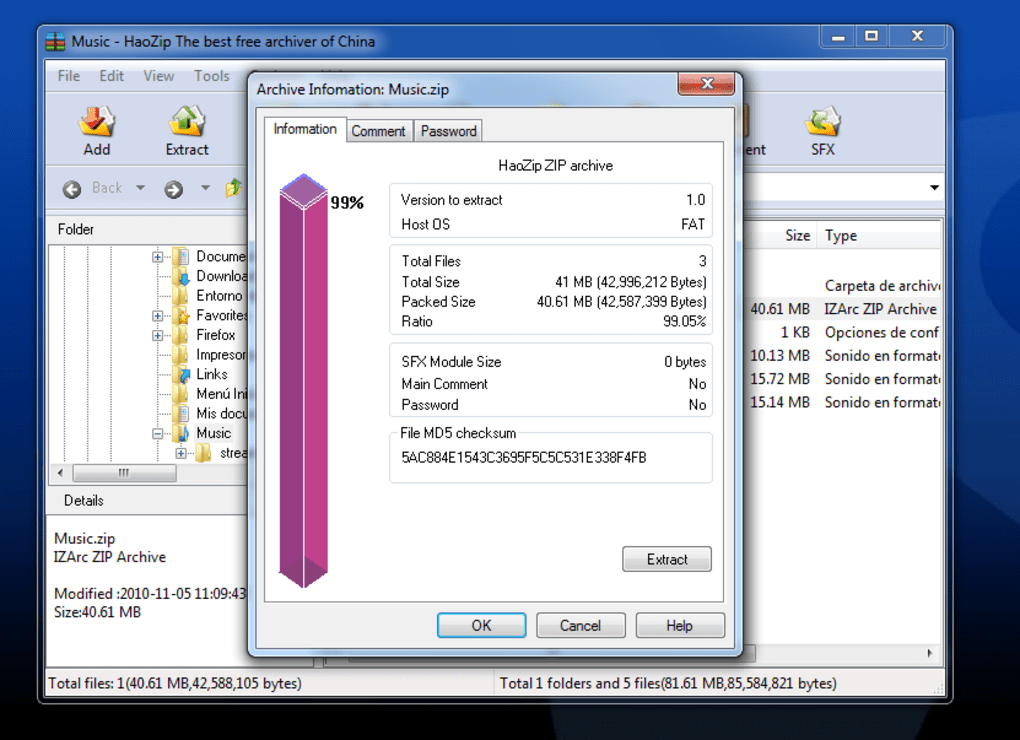
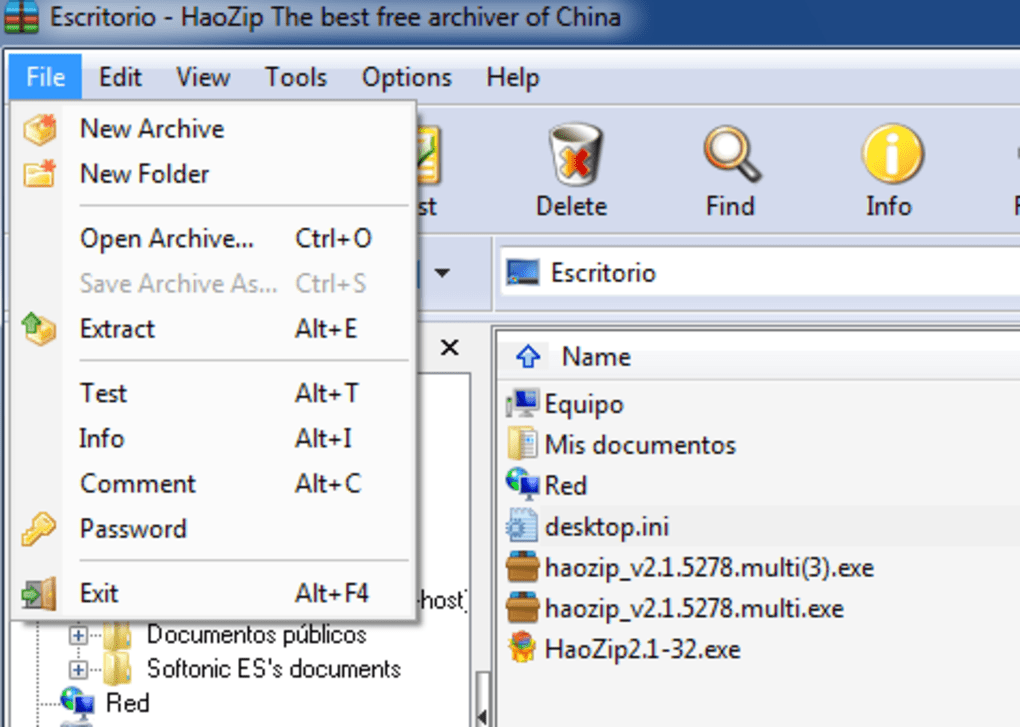
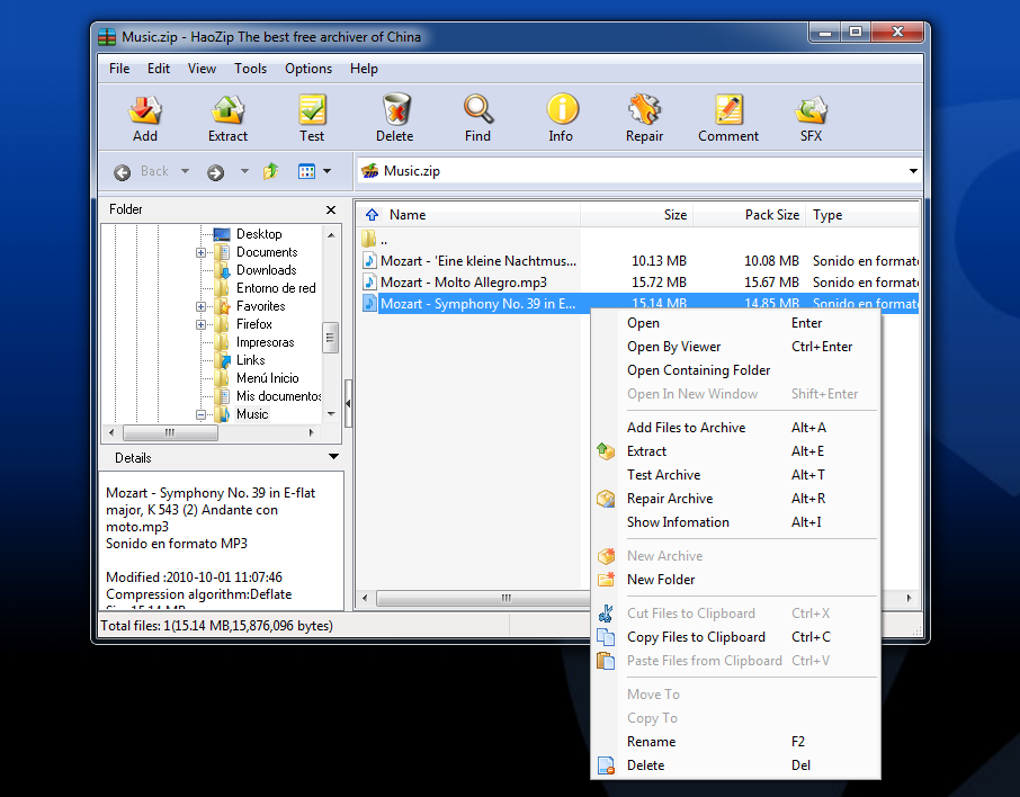
Security is another major highlight. HaoZip supports AES-256 encryption, ensuring your sensitive files remain protected when compressed. Whether you're sending confidential documents or backing up personal data, you can rest assured that your files are locked with military-grade encryption. The user interface is clean and intuitive, with drag-and-drop functionality, right-click context menu integration, and customizable settings. Advanced users will appreciate the batch processing feature, which allows you to compress or extract multiple files at once, saving valuable time.
For those who value efficiency, HaoZip’s fast compression and extraction speeds are impressive. It uses optimized algorithms to minimize processing time without sacrificing file integrity. Additionally, the tool supports split archives, allowing you to divide large files into smaller parts for easier sharing via email or cloud storage. With support for Unicode filenames and robust error recovery, HaoZip ensures that your data stays intact even during partial or interrupted transfers. These features make it a trusted choice among users in tech-savvy regions like China, India, and the Czech Republic.
How to Install and Use HaoZip on Windows, Mac, Android, and iOS
Getting started with HaoZip is simple and straightforward. For Windows users, visit the official download page, select the appropriate version (32-bit or 64-bit), and run the installer. The setup process is quick—just follow the on-screen prompts. Once installed, HaoZip integrates directly into your right-click context menu, allowing you to compress or extract files with a single click. To create a ZIP file, right-click on a folder or file, select "HaoZip" > "Add to archive," choose your format and encryption settings, and confirm.
For Mac users, HaoZip offers a native application that runs smoothly on macOS 10.12 and later. Download the .dmg file from the official site, open it, and drag the HaoZip app into your Applications folder. After installation, you can access it from the Applications menu or via the right-click context menu (after enabling it in system preferences). The Mac version maintains the same fast performance and multiformat support as its Windows counterpart.
On Android, HaoZip is available via the Google Play Store. Search for “HaoZip” and install the app. It supports all major archive types and allows you to extract files directly from your device’s storage.
The mobile interface is touch-optimized, with easy navigation and file previews. For iOS users, HaoZip can be downloaded from the App Store. While iOS restrictions limit some features, the app still provides reliable extraction and basic compression for ZIP, RAR, and 7Z files.
Using HaoZip across platforms is consistent and user-friendly. You can compress files locally, transfer them via USB, cloud, or email, and extract them on any device with HaoZip installed. The software also supports automatic updates (on desktop versions), ensuring you always have the latest security patches and performance improvements.
Compatibility and System Requirements – Works Across All Major Platforms
HaoZip is designed for maximum accessibility, supporting a wide range of operating systems. On desktop, it runs smoothly on Windows XP, Vista, 7, 8, 10, and 11, including both 32-bit and 64-bit architectures. For macOS users, HaoZip is compatible with versions from 10.12 (Sierra) onward, ensuring support for modern Apple hardware. The software is lightweight, requiring only a few MB of RAM and minimal disk space—ideal for low-end systems or older computers.
For mobile users, HaoZip is available on Android 5.0 and above, as well as iOS 12.0 and later. The mobile apps are optimized for touchscreens, offering fast file browsing and extraction with minimal lag. Whether you're on a budget laptop, a high-end desktop, or a smartphone, HaoZip adapts seamlessly to your device.
Language support is another strong point. HaoZip is available in multiple languages, including English, Simplified Chinese, Traditional Chinese, and others, making it accessible to a global audience. This multilingual capability, combined with its cross-platform functionality, makes HaoZip a truly international tool. It’s especially popular in regions like China, India, and the Czech Republic, where users appreciate its reliability and low resource usage.
Importantly, HaoZip does not require an internet connection to function, making it ideal for offline environments. It also works well with external storage devices like USB drives, SD cards, and network drives. With no hidden costs, no ads, and no trial limitations, HaoZip remains a fully free and secure tool for personal and professional use.
Pros and Cons of Using HaoZip – Honest User Insights
- Pros:
- Free and ad-free with no trial limitations
- Lightweight and fast performance on all systems
- Supports multiple archive formats (ZIP, RAR, 7Z, TAR, GZ, etc.)
- Offers AES-256 encryption for secure file compression
- Intuitive interface with right-click integration
- Available on Windows, Mac, Android, and iOS
- Minimal system resource usage
- Supports split archives and batch processing
- Cons:
- Desktop version hasn’t seen a major update since 2011 (though stable)
- Mobile versions may lack some advanced features compared to desktop
- Limited customer support options
- No built-in cloud integration (e.g., Dropbox, Google Drive)
- Interface, while functional, is less modern than some competitors
Frequently Asked Questions (FAQ)
Final Verdict: Why You Should Download HaoZip Today
HaoZip continues to stand out as a reliable, secure, and feature-rich file compression tool—especially for users seeking a free alternative to WinRAR or WinZIP. Its lightweight design, multiformat support, and strong encryption make it a smart choice for anyone managing files across devices. While the desktop version hasn’t seen a major update in over a decade, its stability and performance remain unmatched for its category.
Whether you’re a student, professional, or casual user, HaoZip simplifies file management with minimal effort. It’s perfect for compressing large folders, securing sensitive data, or sharing files across platforms. With support for Windows, Mac, Android, and iOS, it truly bridges the gap between devices.
Download HaoZip today and experience fast, secure, and free file compression. It’s a tool that delivers more than just functionality—it offers peace of mind.







